Showing posts with label Test Equiptment. Show all posts

Friday, 8 April 2016

Don't let fear stop you

Sometimes we come across projects or sub projects that we don't want to take on because we are worried what others might think, if it's safe, if others will think it's safe, if it's too expensive. The problem is that when we let these fears and concerns govern what we allow ourselves to do then we end up not accomplishing anything near what we are capable of.

This is something that I have struggled with on various projects over the years, is it safe? What will others think of me doing it? Whatever the case may be. On the instances when I have put these fears into their place by stopping and working out just what the impact will be, then after putting into place safety controls I have always found these projects to be worthwhile. This one today is one of them. Here was my problem:
The controller for the CNC Lathe runs on 110V not the 240V that comes from the walls here. When I got the machines I had a few cords that would connect them to a transformer box  so they could be used with a 240V wall supply. Unfortunately I have lost said cables and to be able to run the Lathe I need to get 110V to it. Bugger.

This is where fear came into it. From the time I have started playing with electronics there has always been an unspoken rule that you just don't have anything to do with line voltage as a hobbyist. This is a very safe rule. However in this situation it would've stopped me from being able to run the lathe again unless I found the power cord (Unlikely). So after taking stock of the risks (electrocution) and working out controls (unplug and leave for a while to let any charge dissipate, test to make sure nothing is shorted to the case before re-connecting) I realized that this could be fixed safely.

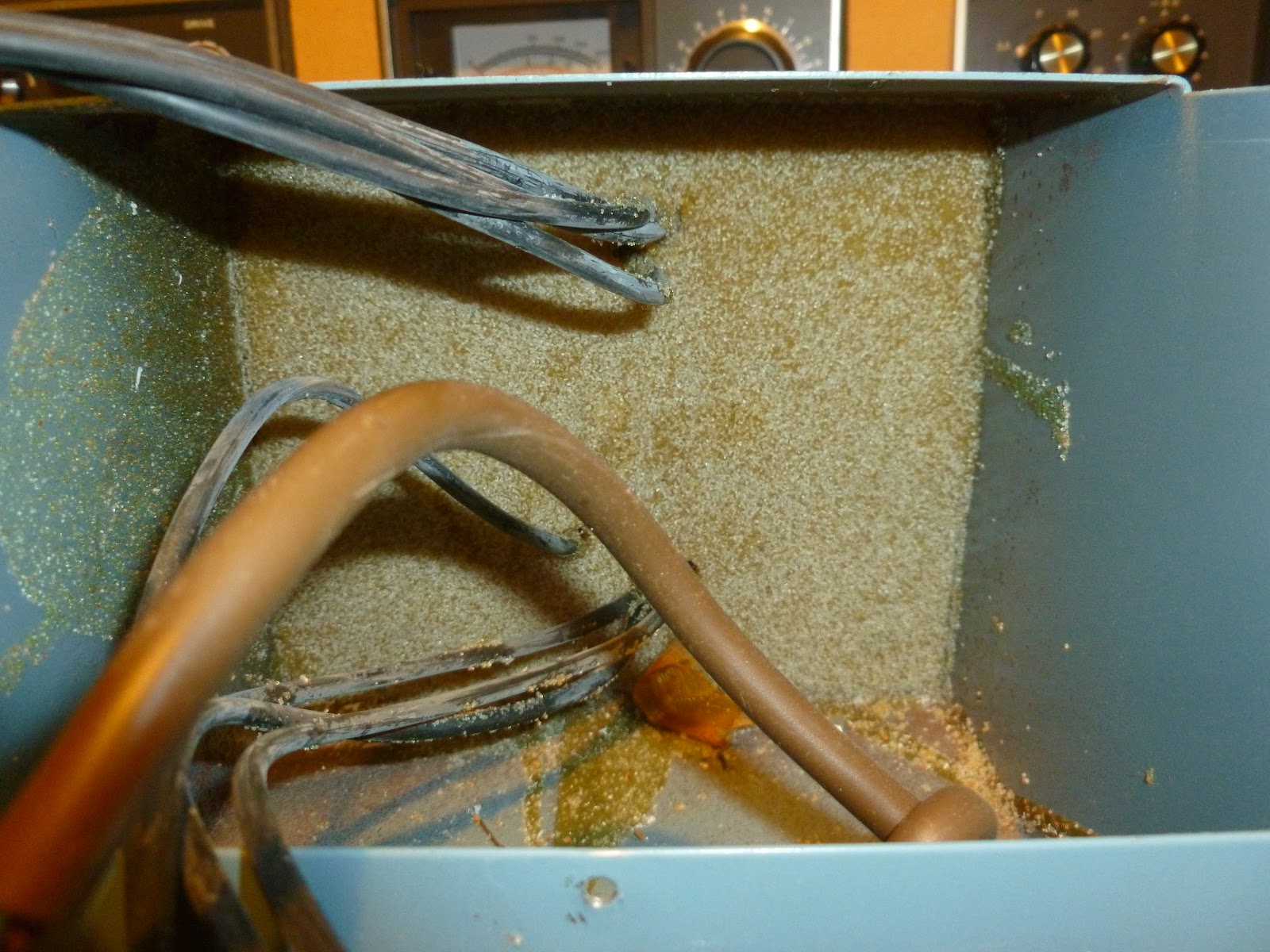
And here's the finished product. I can now use a normal power cord like I would use for a computer to power the lathe with 110V.

That's where the scaryness happens. The transformer is potted in epoxy so that's all quite solid.

Looks like I'm not the only one who chain drills and doesn't fully clean up the edges. I had to take off some of the peaks before the new socket would go on.

Testing all of the connections. I'm using an old analog multimeter on ohm reading to check for shorts. It does still work, certainly well enough to show a short circuit.

That's all for today, the next post will be my 100th post on this blog so I am working on something cool for that so stay tuned.

And remember, don't let your fears tell you that something can't be done. There's always a safe way.

Cheers,
Rex

Monday, 9 November 2015

Mill Woes

Just a quick update on how the mill is going as that's the only thing that's actually had anything done on it recently. I finally got the software issues sorted and worked out a display, then when I pressed the go button to power on the motors they hissed like they should for a fraction of a second. Then.. all of the power died to the board.

A second test confirmed that this is consistent behavior unfortunately. I think what is happening is that the turn on current draw of the steppers is too high for the computer PSU and it trips the overload protection. To test this what I'm going to do is connect my bench power supply in parallel with the computer supply and then after starting the motors wind down the current. That should tell me if the computer PSU will handle the base load current.

If it will then I will probably put some kind of large capacitor across the 12V rail and GND to help minimize the surge. I may do a quick writeup on the display arrangement I finally got working, particularly if there is some interest there.

I'll report back how I go with this.

Cheers,
Rex

Wednesday, 7 October 2015

Testing a car stereo

I have been cleaning up over the last few days and among the stuff I found this car stereo in my collection. Now my brother has some issues with the stereo in his car so I figured that seeing as I don't have an immediate use for this one I could probably pass it on if it worked. Follow on after the break to see how I tested this head unit to see if it was worth using.

Sunday, 23 December 2012

DSO Block Digram

Here's a little block digram I did up to help me work out the best way to connect the ADC(s), RAM and CPU. If anyone out there has any suggestions please leave a comment.

Wednesday, 19 December 2012

DSO Revelations

So today while doing the thoroughly mentally stimulating task of watering trees at work all day I had an epiphany. I am building a Digital Storage Oscilloscope ie. I can have 2 programs that run and have them mutually exclusive. A capture program that reads the state of the ADC(s) and pushes them to a more stable memory location(seperate section of RAM, Main HDD[my be a section of flash memory on board] or Dedicated section of Flash memory). The pseudo-code for this would be along the lines of:
Reset counter
While Stop = False do
Move state_of_ADC to register0
Move register0 to Permanent_Location[counter]
counter = counter +1
EndWhile

This would give a sampling rate that can be calculated fairly easily. The instructions are fairly basic so they should each only take 1 cycle to execute. Therefore 5 cycles are required to monitor the state. Therefore we just divide the clockspeed of the CPU by 5 to give us the sampling frequency(assuming CPU at 1GHz):
1GHz/5=200MHz
That's a 200MHz sampling rate. The only problem with this method is that the only real way to change the sample rate is to change the CPU's clock speed... But if I'm going to build a radio from scratch then I dare say I'll get used to adjusting frequencies with a voltage...

The other program would be a GUI that allows the "settings" to be adjusted and a graph to be displayed. The "settings" would only effect the display. Unless I decide to implement software controllable attenuation or something useful like that. The attenuation would be done before the ADC and would be instructed to attenuate through the communication bus from the ADC which is activated for reverse transmission by sending a pin to say -5V which shouldn't happen in any other situation.

Anyway is anyone finds this helpful/instructive/wrong don't hesitate to leave a comment, more comments inspires me to write more :)

p.s. If anyone sees the HTML tags wrong or wants me to go through the tags I used here let me know any I'll put something up.

Sunday, 9 December 2012

mV Voltage Divider

Rather than just getting a high resistance to drop the voltage I realized that a higher current would also. By putting a resistor in parallel with the potentiometer I can increase the current flowing through the first resistor and use a smaller, more available resistor there to drop the same voltage.
This is the schematic I did up in KTechLab to test my theory. the 1M resistor represents the smoke machine input. the max. voltage possible with this arrangement is about 30mV(50mV with a 5V supply). This means I should be able to supply the required 25mV for my max. temperature.

Thursday, 29 November 2012

Laptop Oscilloscope original state

Here are the photos as promised yesterday. I apologise for the quality but my iPod 4G was pretty much the only camera that functions reasonably well and reliably.


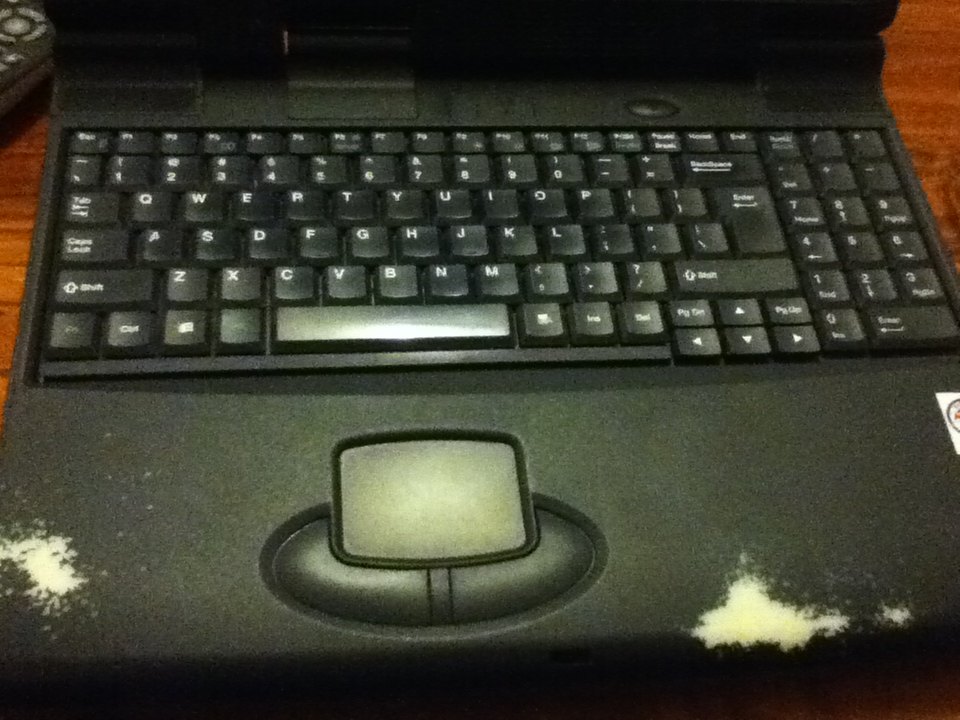
 The basic overview. The tag in the back right corner is a repair tag from when grandpa got it fixed at some stage.

 A view of the screen, keyboard and mousepad. the screen and keyboard should be re-usable but I'll need to find a new mousepad and buttons.


Some views of the bottom. At bottom with all of the removable sections partly removed. Clockwise from top right there is the CDROM drive, HDD bay, Floppy/Zip drive bay.

Here all of the removable modules are removed. Bottom left we can see the modem module with broken ribbon cable from a previous teardown I did.
 Here is the backplate with (L to R) VGA out, RS-232, 2xUSB, proprietry breakout plug, RCA video out, S-Video out, Printer port.

 2.5" HDD bay.
 CDROM sitting on top of HDD bay to get some angle on the front.
 Zip and Floppy drives side by side on top of HDD on top of CDROM, once again for some angle.
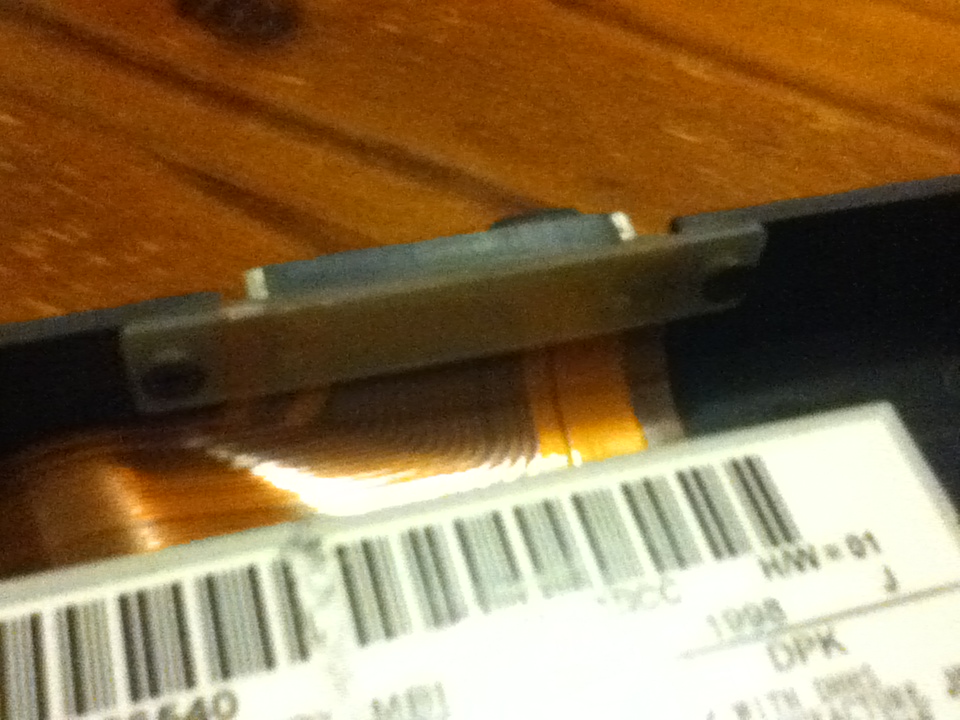
 A close up of the connector. Should be pretty easy for me to put in my own connectors.
 The where the battery was. It's a pretty big hole and a raspberry pi would probably fit in this space alone. Maybe some other pluggable module... Perhaps a replaceable CPU/RAM module or something.
The battery in all it's brick-like glory. It doesn't work as a battery anymore but if I did want to I could probably re-pack the original cells... Perhaps even increasing the capacity. :)

If you want any more detailed pictures or info post a comment and I'll get some for you.

Wednesday, 28 November 2012

Finally... New project :)

Finally I've decided what to make my next new project. A DSO... This oscilloscope will be housed in the case of an old laptop that was given to me a while ago by my grandfather after they got a much better one. From memory it's current specs are in the vicinity of: 400-500 MHz processor(Pentium?), 64MB RAM, 4GB 2.5" IDE HDD, broken mousepad, decent screen (will run up to 1024x786?), came with win98, struggles to run cron, X11 and a window manager(twm?) on top of a CLI Ubuntu install.

All this will be replaced allowing me to start from scratch... I will probably keep the keyboard and screen, even if I have to set up an AtTiny or similar to get the interfaces in a format I want. At this stage looking at using an ARM processor or SoC. The CDROM bay will be replaced with pluggable modules with a digital interface to the main board allowing me to change and upgrade input channels or make a computer controlled function generator/DSO that can be controlled from any computer (Running Linux of course :) ). At this stage to allow remote control ethernet/WIFI is planned with an interface probably built from Qt. As well as being remote controllable the oscilloscope will be locally controllable, with the bootloading being handled by coreboot with a linux kernel payload.

I want to be able to use this to help me debug amateur radio rigs up to the 40m band to start with. The pluggable ADC modules allow me to improve if I need better frequency/accuracy. Basic features will include:
-Local control to allow full functionality as a normal DSO.
-Updatable firmware so new features can be implemented.
-Miniumum 50MHz bandwidth for initial product(excluding prototypes).
-Network connectivity to allow remote monitoring.
-Possibly battery, to allow monitoring in locations with limited power outlets
-Using only free and open source tools to design and sharing the designs as open source(github?)

Hopefully soon I'll get a picture of the laptop in it's current condition so you can get an idea of how much space internally I have to work with :)