Monday, 29 February 2016

In search of Xen

Apparently this is what searching for Xen looks like.

After getting the NAS box running (Although it seems to have developed some issues.) I wanted to move on to getting my other server set up and ready to go. This one will be acting as a router/firewall/proxy/all the good stuff and also as my webserver/minecraft server/all the other good stuff server. However I want to do this in such a way that when/if the time comes where I have/need to dedicate a separate machine for any of those tasks it will be fairly easy to migrate across.

To make migrations easier I am planning on running a Xen based hypervisor which will allow me to install pfsense for the router functions and a linux distro for the other server functions. However first I need to install Xen. The first way I tried to do this was by installing Xen over a Debian Jessie install to use that as dom0. This probably would've worked however it needed command line tools and that is something I'm trying to move away from. Particularly with software I don't understand.

Installing Debian was fairly easy and went like any other linux install except for one small detail. The machine didn't want to boot from the CD drive. Now it wasn't the CD. There is something funny here which means that I have to have the below abomination.
Yes, that is every drive that is connected to this machine beside the case, practically in the walkway for this room. To get it to boot from a CD basically you get the boot disk, put it in one of the CD drives, then try it, if it doesn't work keep trying to re-boot, swap drives and try putting another bootable disk in the other CD drive until it boots. Thankfully booting from the Hard Drives is reliable.

Unfortunately because of the whole command line thing I am now playing with XenServer which gives me the dom0 and the Xen install along with the XAPI interface which allows me to control the server from OpenXenManager which is written in Python and as such should run on Linux, Windows or Mac which is perfect for me.

Unfortunately there seem to be issues with that install booting as well so after I finish the last few things on Nathan's Computer I will spend some more time there and get it working.

Speaking of Nathan's computer. It is nearly ready to go, so once windows 7 has finished burning to the USB drive for installation I will be installing that and probably having some fun with benchmarks. Expect a write up of that later this week once I have finalised everything.

If you have played with hypervisors before and can see me running headlong into some giant problems please let me know so I can change course while it is still easy to do so. Alternatively if you don't wan to be hearing about my dodgy servers and would rather see some of the other cool stuff I've been working on let me know and I'll do some more posts on that.

Cheers,
Rex

Thursday, 25 February 2016

Shelves for the CNC's

Even though I've been spending a fair bit of time recently playing with my computers and setting those up I am still working on my other projects. The biggest other thing I have been doing is preparing to make some shelves for the CNC mill and lathe to be put on so I can have them inside.

This is what it should look like. I sketched these up with the new CAD software at work over some lunch breaks to help familiarise myself with it.

I didn't get a picture of the stack of board before I started, but with a lot of help from +Ben O'Regan and +Nathan O'Regan we were able to rip down the sheets to a much more manageable size using a circular saw.
This was what we had after the first day. Unfortunately that had to be cut short as Nathan got caught by an offcut and we thought it prudent to stop there.
The evil piece that caught Nathan.
This is what is left of what we ripped down. We didn't fully optimize and allowed ourselves an extra length of 700mm wide just in case we made some mistakes cutting. Thankfully we didn't need this extra piece. However we do need a new saw blade. The one we had been using is pretty blunt now and wouldn't complain about being retired to use on soft pine.


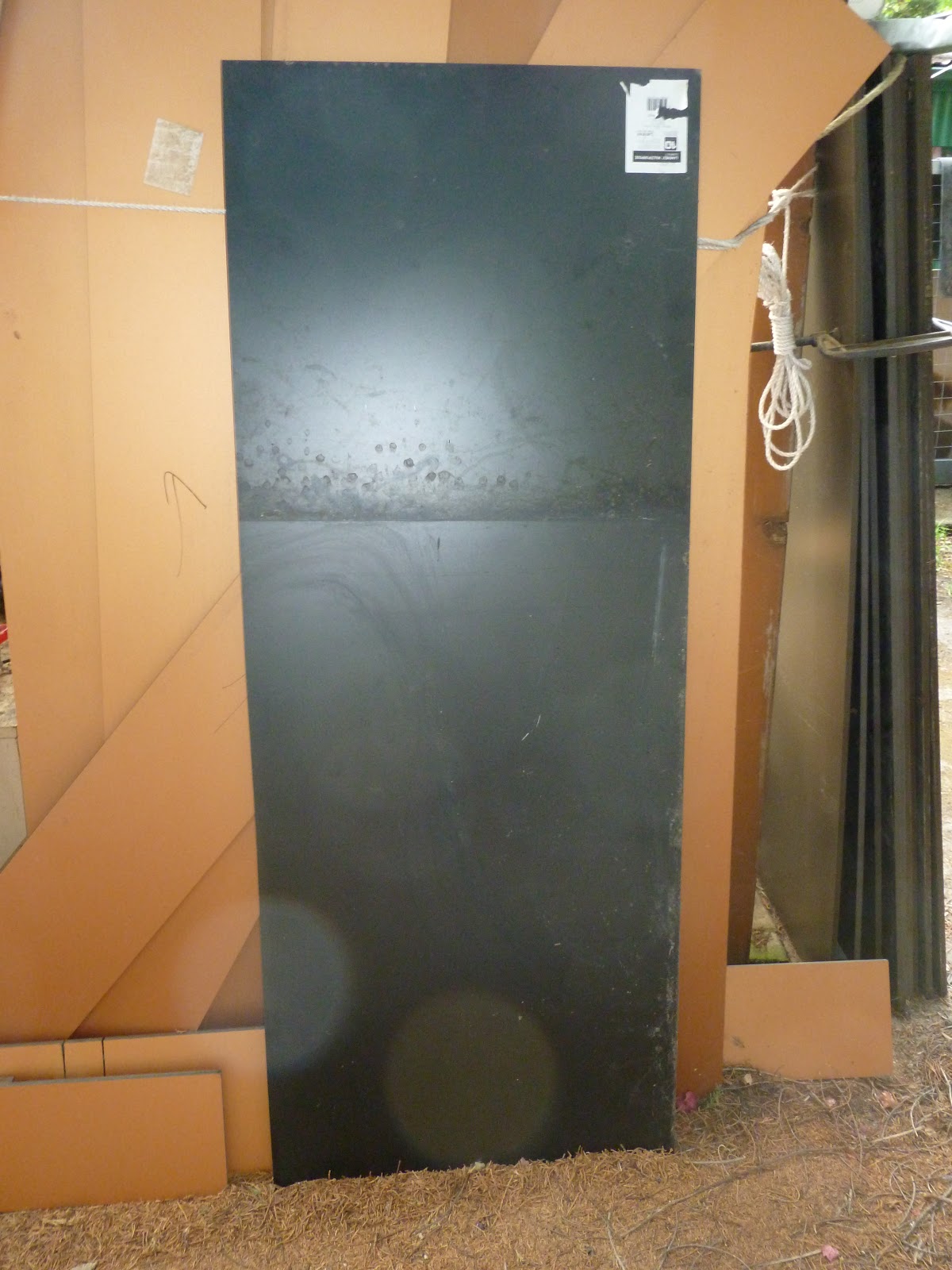
All these black pieces are what's going to make up the shelves. After getting a wash though I think. It doesn't look like much but it was a very hot sweaty afternoon to get to this point. However we are almost there. Just need to route the rebates on some of the shelves and then fit it together. Then look for more CNC updates because they will be inside and I won't have to fight the mosquitoes to stay out there.

If you have any tips on cabinetmaking or other furniture manufacture please let me know. I need all the help I can get on this one.

Cheers,
Rex

Sunday, 21 February 2016

New NAS Server... Yay

My new server arrived. It is a HP Prolient DL 320S and has 12 drive bays in the front.

Unfortunately it only came with 3 drive caddies that will hold drives. There are 3 open spaces and the other 6 spaces are filled with blank things. Presumably to maintain proper airflow across all of the drives all the time. Unfortunately because of that they cannot be used for putting drives in. This means that for RAID 6  I need at least 4 Drives. Particularly if I want to keep my 2TB drive in there that I have at the moment I will need at least 6 more spaces for drives. So I need to get at least 2 more bays.

This is my precious. A 2TB SATA Hard Drive. This is really wat I have everything that I really don't want to lose on. As I said above I would like to move to a RAID 6 array for storage. However for now as long as I still have the space I can live with no redundency for now.

It boots !

It even has a GUI. Surely the first thing I have used in a while that has a GUI for system management stuff.

However the first problem I have found with the software I'm using. The GUI only shows support for Ext2. The 2TB drive has my data on it in an Ext4 partition. This is my only drive this big. Thankfully there is less than 1TB of data on it which means that I can use my external Hard Drive. Unfortunately it is currently also formatted Ext4.

So with the 2TB drive plugged into my only other computer that can plug into it, I have also connected my external drive and am reformatting the external drive.
This would be only a little bit dodgy. However apparently formatting a drive in Windows Vista takes a long time. It's been a few hours but it is still only at 20% so this will be sitting until tomorrow afternoon. Such is life.

But I have found a new home for the NAS. For now anyway.
It is on the floor but I don't think it will be a problem. It will probably be moving a fair few times yet so this won't be the last place it lives I dare say.

So the beginning for a very exciting project. But still a little way to go before I am happy with the way it is set up.

Cheers,
Rex

Wednesday, 17 February 2016

Big Changes in my serving

No I haven't re-built the kitchen. For the last 18 or so months I have been running a number of servers from this:
It doesn't look like much. And in terms of "real" professional servers it isn't. However it has been more than good enough for me. Unfortunately there are some things I am not really that happy about. Recently I have become very fond of Arch Linux and have been enjoying some of it's features more than the Debian that is installed on this server. I know Debian is probably better for servers, but I'm just doing this at home for fun. So I'll do what I want.

The other main thing I haven't been so happy about is storage.
This is what the case looked like after I opened it up for the 1st time in 18 months. Probably a record for one of my computers. As you can see, arranged across the bottom is my network storage array. A jumble of random drives that has very little rhyme or reason, other than I could get my hands on them for the right price.

What they look like out of the case.

This is going to be changing soon. I have bought a case on ebay that will hopefully work as a NAS box. This will be my next big server thing to do. Also depending on how I'm going, this jumble of random drives will probably be dispersed somewhat and the old 20GB drives either retired from server, or relegated to use as boot drives with regular backups. Probably boot disks.

Another thing I will be probably looking at is airflow. Mainly with regards to dust. The house I live in is not new and has had plenty of time to start producing dust. Also this house doesn't have a dedicated server room with filtered AC. Bummer. This however is nothing new and hopefully I can reduce the amount of dust in this case (and the new one) with some slightly (?) informed planning of case ventilation.

I haven't decided on what software I'm going to run on the NAS box yet. That will have to wait until I get it. But I am starting to realise that the hodge podge of HDDs and no actual backup is really, really quite bad. So I dare say that both of those things will change in the future, even if I keep them like this for now.

However if you do happen to have a bunch of reasonable sized HDDs burning a hole in your pocket I know a quiet place where they can go to stay.

Cheers,
Rex

Monday, 15 February 2016

Time to go sailing. Soon


I know, I know, I have enough things happening already.
But this is really a continuation of an older project. Some of you may remember me going for a crazy long road trip to Queensland to pick up this sailing dinghy.
Well I haven't actually been able to use it. The trailer I used for that trip was borrowed and the boat that lives on it had to go back on. This meant that the fireball has been stuck on it's beach dolly which probably wouldn't do very well on the road. To solve this issue I have bought a trailer that should be plenty suitable.

Well it will be. The main thing it needs is a quick(ish) clean a coat of paint, and a couple of bolts that aren't the right size and as such need replacing.

Also there is this. It's not very obvious but this is probably the biggest problem with it. The spring holder plate has a slight bend to it because the U-Bolts haven't been installed vertically. One option to stop this happening again would be to run a little bead with the welder on the axle which would give me locating marks on where to put the U-Bolts. Alternatively I can just be careful when re-installing them after flattening the plate.

As you can see from that close up the trailer is a bit grotty, but it's all surface rust and won't cause any structural problems.

Stay tuned for more updates on this and other projects.

Cheers,
Rex

Sunday, 7 February 2016

Another project on the go

So after watching this Youtube video. My brother and I have decided to build him a computer based on the same principals as in the linked video. That is using slightly outdated top end or server hardware to build a computer on the cheap.

In this case the goal is to be able to run N3V Games' Trainz: A New Era with reasonable performance. The parts we have selected will allow us to meet the recommended specs for what could be the first time of any of this franchise.

We have only just begun procuring parts for this. But I am very excited about it and I am looking forward to assembling a computer that is more than just the best of the parts I have lying around the place. To find a list of the parts we're using follow this link to see the e-bay collection for the parts we have selected.

We have to wait for the parts to arrive however and there are still some descisions that can't be made until the parts arrive like PSU, case. But stay tuned because this build will enjoy exciting performance for an equally exciting price.

If you have any suggestions or questions please comment below with them so we can all benifit from the discussion.

Cheers,
Rex

Sunday, 31 January 2016

Fixing a worn out power supply in a computer

A bit of a nerdy one today.

I have recently gotten an older PC that I will be using as a Home Theatre PC (HTPC) Unfortunately it has been having issues with instability and would shut down randomly and then when shut down properly it would not boot back up again. Sometimes it would not even reach POST (Power On Self Test), others there would be an issue with the POST. Once I even had it say there was a problem with the BIOS flash memory itself.

The original Stats. It's had a RAM upgrade and a new graphics card.
As you can see, not the most exciting computer. But it has a discrete graphics card which immediately blows anything else I have here out of the water for a HTPC. The computer I had been using did work, however there was often a lot of stutter during playback and complete CPU usage. This machine does not have that issue.

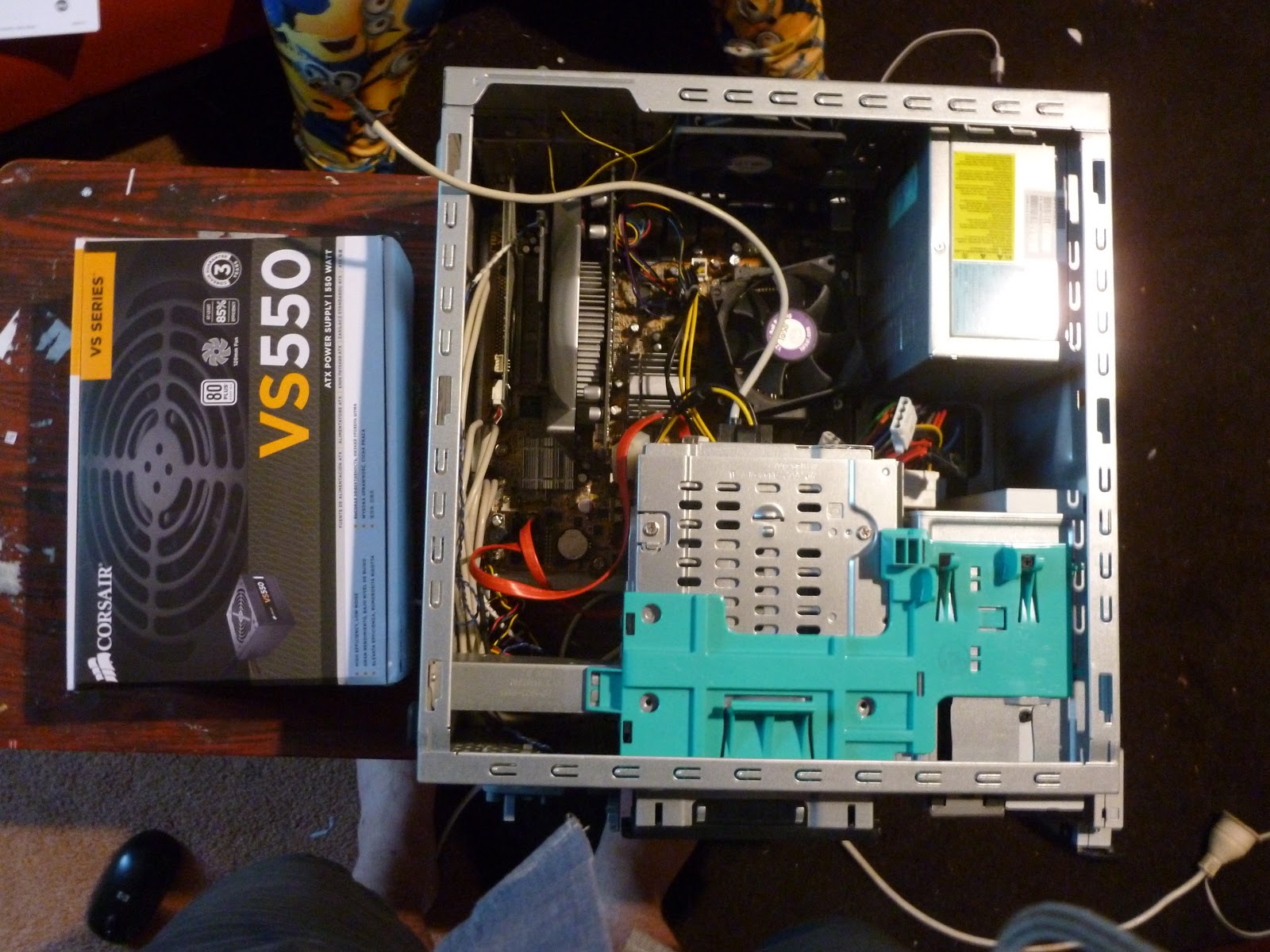
Here we see the new power supply next to the case. Originally it had a 300W supply. I have upgraded it to a 550W as the newer graphics card recommended somewhat more than the orginal 300W. I think this may have been one of the contributing factors that lead to the original supply failing. Often a supply will handle being overloaded. But it will cause it to fail much much sooner.

It's a pretty tight fit in this case. The only way for me to un plug the motherboard power cable was to first remove the hard drive and personal media drive bay. I was lucky that it came apart fairly easily and soon I had the motherboard un plugged.

With the motherboard and drives all un plugged; all that needs doing to remove the old PSU is taking out the 4 screws on the back. These all came out easly like they should. If this had been in a factory or somewhere where it's likely to corrode a bit it would've been a different story.

Here we have a side by side comparison to check that the old (left) and new (right) are actually the same size. They were. Time to reverse everything and put it all together.

If I was willing to spend the money on this computer I could've gotten a modular power supply. With a modular PSU you can remove some of the cables so you don't get a mess like the one above. As it was I was lucky enough to have to find a way to get this spaghetti monster into the case without jamming in a fan.

Before putting too much effort in I like to check that I have fixed the problem. This is what you see here. I plugged in only enough for the motherboard to boot off the BIOS chip and run it's POST. With that done I can finish buttoning up the system and getting the loungeroom back to a reasonable state.

With a little coaxing it all went back together reasonably well.

Success. Now I just need to set up Mythtv on here. If anyone is interested in seeing a writeup on how to configure a Mythtv Frontend, Master Backend and Slave Backends please let me know. I am not particularly happy with the current arrangement and if it would be of interest to someone then I would be happy to document the process.

Replacing a power supply is something that is not too difficult once you know what plugs go where and you are willing to take your time to work out what each part does the first time around. Also like this computer that was likely to be tossed, it is a relatively easy test that you can do that can extend the life of your computer.

Any questions, or thoughts please leave them below in the comments.
Cheers,
Rex